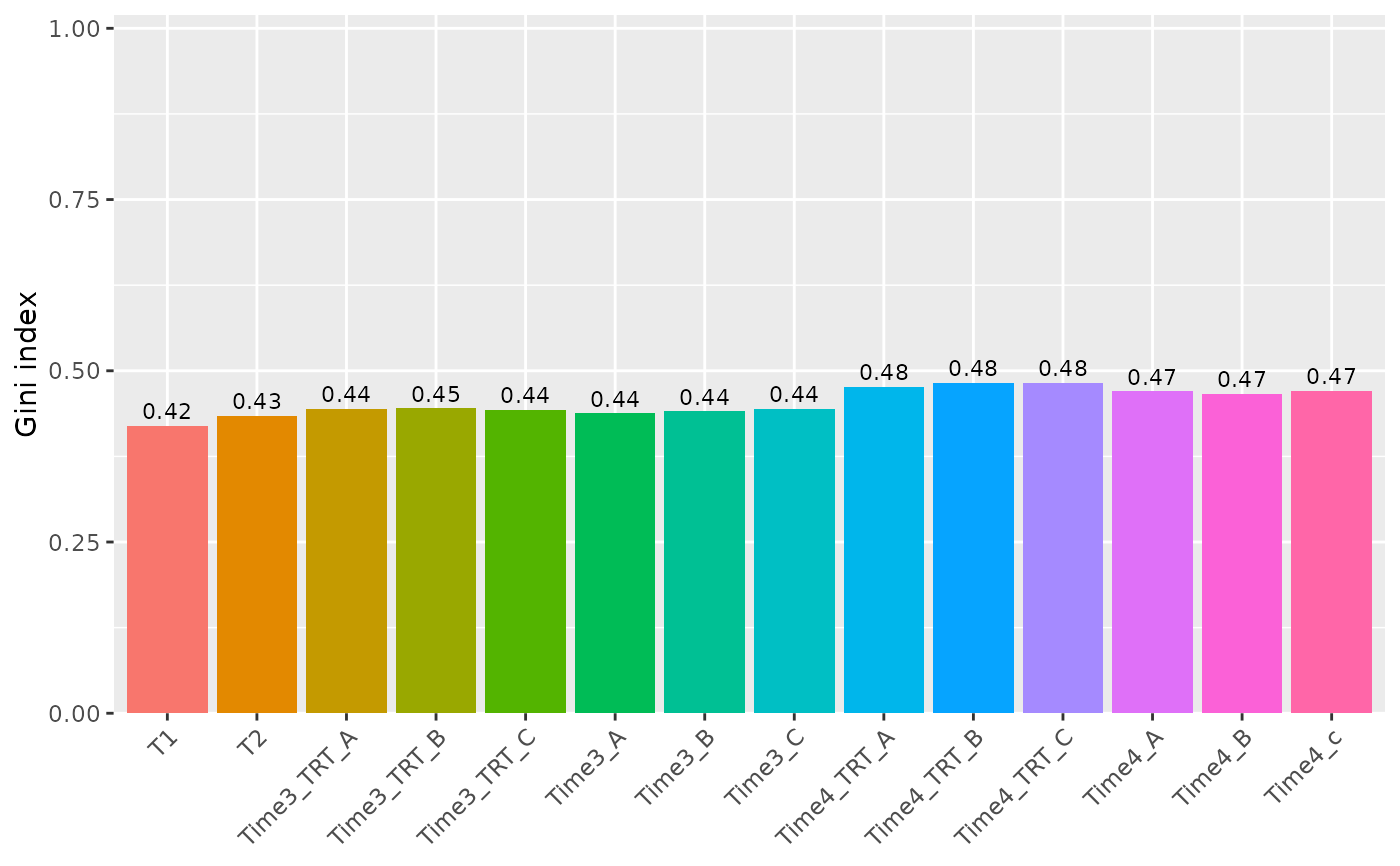
Plots the Gini index of each sample computed with
compute_gini: 0 means that all the barcodes have the same
number of reads, values close to 1 that a few barcodes take most of the
reads. In a dropout screen it usually increases over time; a strong
increase or a large difference between replicates can signal a
bottleneck.
Arguments
- screenR_Object
The ScreenR object obtained using
create_screenr_object.- palette
An optional vector of colors for the samples (named by sample, or one for each sample in order), which replaces the palette of the object. By default the Sample palette of the object is used when it is set (see
get_palettes), otherwise the default colors of ggplot2.- alpha
The opacity of the bars, between 0 and 1. Default 1.
- legende_position
The position of the legend: "none" (default), "top", "bottom", "right" or "left".
Examples
object <- get0("object", envir = asNamespace("ScreenR"))
plot_gini(object)